

A beginner-friendly game makes its basic rules and goals understandable without demanding that players master everything at once. Clear tutorials introduce controls and important systems in manageable steps, ideally allowing newcomers to practise in safe situations before facing tougher challenges. Helpful prompts, readable menus, and consistent visual cues can also reduce confusion. These features matter whether someone is picking up a controller for the first time or simply trying a genre they have not played before. A good introduction should guide rather than overwhelm, and let players begin enjoying the experience quickly.
Options that let people set their own pace are equally important. Adjustable difficulty can make action more forgiving or provide extra challenge as confidence grows, while generous checkpoints reduce the frustration of repeating long sections after a mistake. Intuitive controls and the ability to remap buttons can make play more comfortable, particularly for people with different physical needs or preferences. Some games also offer hints, practice areas, subtitle settings, or other accessibility features. Together, these choices help a wider range of players participate and allow beginners to learn through experimentation rather than pressure.
Beginner-friendly does not mean simplistic. A game can introduce its ideas gradually, then reveal strategic choices, richer stories, or more demanding mechanics as players become familiar with them. The recommendations in this guide consider varied play styles, including relaxed solo play, cooperative sessions, and competitive experiences, alongside differences in budget, device, and accessibility needs. Before choosing a title, check which platforms support it and whether a particular edition includes the features or content you want. Availability, pricing, editions, and options can vary by platform and region, so verify current details with the relevant store or publisher. The right starting point is ultimately a game that feels inviting and gives you room to learn at your own pace.
Choosing a first game is easier when you begin with the experience you want, rather than a list of popular titles. Consider how you like to spend your free time and what sounds enjoyable today. A game should feel like an invitation to play, not a test of whether you can keep up with a large audience or a demanding trend.
If you want a calm pace, look for relaxed exploration games where you can wander, discover new places, and move forward without constant pressure. Creative building games suit players who enjoy designing spaces, experimenting with materials, or making their own goals. For a stronger sense of direction, story-focused games offer characters and plots to follow, often with choices that shape the journey.
Players who enjoy speed and competition may prefer racing games, which range from accessible arcade-style events to realistic driving simulations. Puzzle games are a good match for people who like solving problems at their own pace, while action games emphasize quick decisions, timing, and movement. These categories can overlap, so read descriptions or watch brief gameplay clips to see how a title actually feels.
Before choosing, check practical details. Confirm that the game works on your console, computer, or mobile device, and review its price, including any subscriptions or optional purchases. Think about typical session length: some games suit a few minutes at a time, while others are easier to enjoy when you have a longer stretch free. Also check whether an internet connection is required, especially if you expect to play offline.
Accessibility settings can make a significant difference. Look for options such as adjustable text size, subtitles, remappable controls, difficulty choices, and reduced motion. A demo, trial, or beginner setting can help you decide without committing to a demanding experience. If possible, try a short session and notice whether the controls and pace feel comfortable. The right starting game is the one that sparks curiosity and fits your circumstances. You can always explore other genres later, once you know what you enjoy.
For beginners seeking room to explore without mastering complex controls, Stardew Valley and Minecraft offer two distinct kinds of freedom. Both let players make meaningful choices at their own pace, but one centres on daily routines and community, while the other provides an open canvas for building and discovery.
Stardew Valley begins with a small farm that players can gradually restore and develop. Activities such as planting crops, watering them, fishing, mining, and talking with residents are introduced in manageable steps. There is no need to complete every task each day or pursue a single definition of success. Players can focus on farming, learn about the nearby community, or try optional systems as curiosity grows. This gentle structure makes the game welcoming, though its calendar and energy limits may take a little time to understand. It may suit beginners who enjoy routines, gradual progress, and getting to know a cast of characters.
Minecraft is less guided, giving players a world made of blocks to shape, explore, and use as they choose. Creative mode removes hunger and hostile threats, allowing newcomers to experiment with building and learn the basic controls without survival pressure. Those who want a greater challenge can try Survival mode: Peaceful difficulty prevents hostile creatures from spawning, while Easy keeps the survival loop but makes threats less demanding than higher settings. Gathering materials, crafting tools, and finding shelter introduce useful skills through play. Because the game offers few required objectives, deciding what to do can feel liberating to some and uncertain to others.
The learning curve therefore depends on a player’s preferred structure. Stardew Valley provides clear activities and gradual systems, while Minecraft asks beginners to set more of their own goals and discover possibilities through experimentation. Both are flexible, but in different ways: Stardew Valley is well suited to players who want a calm routine with social connections, whereas Minecraft may appeal to those who like imaginative building, exploration, and choosing their own level of challenge. Either can be approached in short sessions, and neither requires newcomers to master every feature at once.
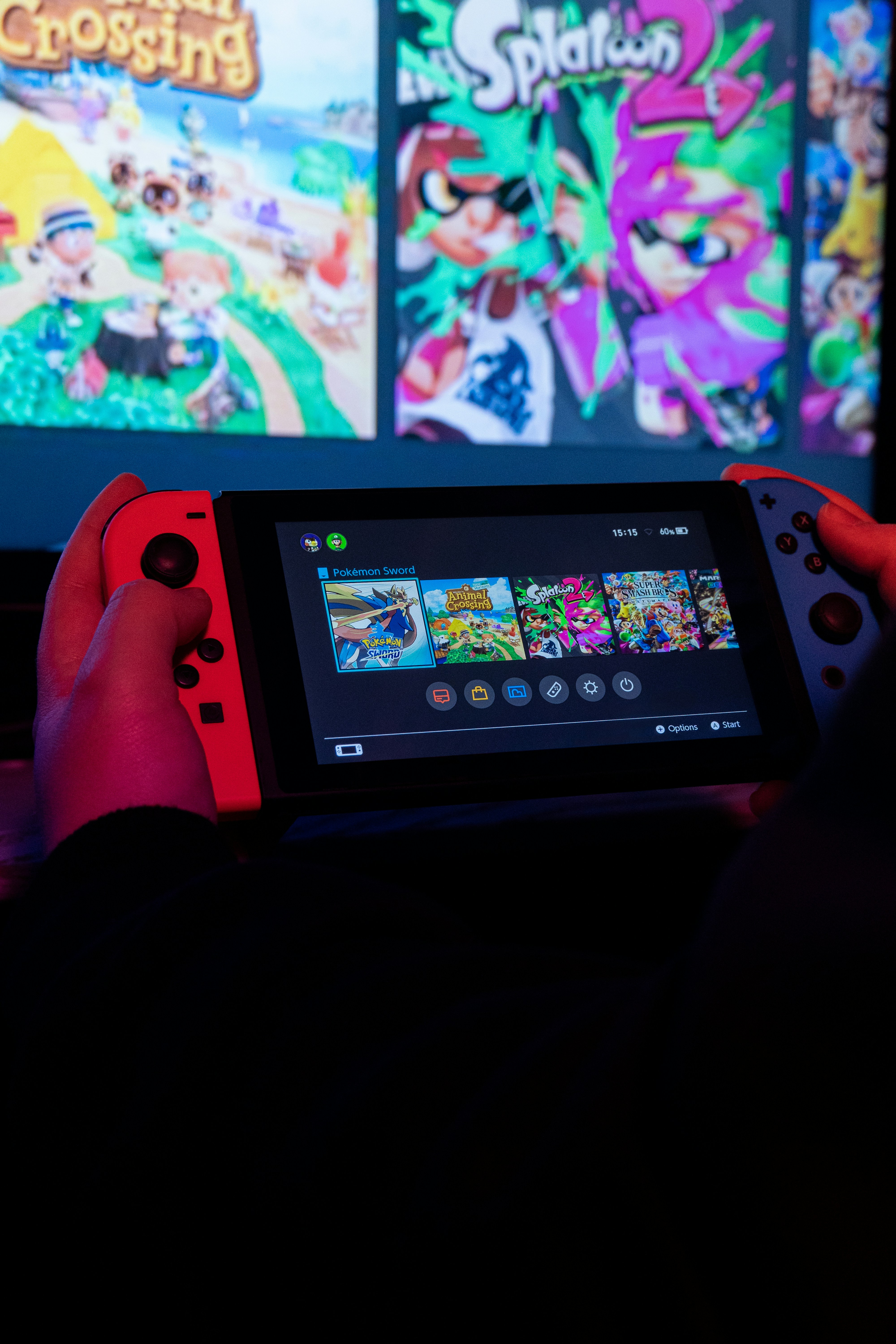
Animal Crossing: New Horizons offers a gentle introduction to games built around exploration and creativity rather than pressure. Players arrive on a largely undeveloped island and gradually shape it into a personal retreat. Activities include gathering fruit, catching fish and insects, finding fossils, crafting furniture, and meeting the animal residents. There is no single urgent mission to complete, so newcomers can choose what to do each time they play. Small goals, such as paying off a home loan or adding a bridge, provide direction without demanding a particular route. The appeal lies in steady progress and the freedom to make the island feel distinctively yours.
One important feature is its real-time calendar. The in-game day follows the player’s local date and time, and seasons, events, and available wildlife change over the year. This creates a calm rhythm, with new things appearing gradually rather than all at once. It also means that some activities depend on when you play, and major island changes may take a day to arrive. The relaxed pacing is part of the experience: a short visit to collect resources or chat with neighbors can be enough. Players who want constant action may find it slow, but those who enjoy routine and gradual customization often appreciate its unhurried design.
Astro Bot offers a more structured kind of beginner-friendly adventure. This colorful platform game sends its cheerful hero through imaginative stages, where players jump, dodge hazards, and explore for hidden items. Each level presents clear objectives and introduces playful ideas through its environments, enemies, and abilities. Challenges generally build in manageable steps, making it easier to learn the controls while still rewarding careful timing and curiosity. Optional discoveries add reasons to look around, but the central route remains understandable, so players can focus on enjoying the movement and visual surprises.
These games suit newcomers for different reasons. Animal Crossing: New Horizons is ideal for those seeking a welcoming world with flexible goals, while Astro Bot is a stronger fit for players who prefer guided stages and lively challenges. Before buying Astro Bot, check current platform availability and compatibility, since access can depend on the system you own. Both demonstrate that a first game need not be intimidating: charming settings, readable tasks, and room to play at a comfortable pace can make getting started feel natural.
Kart racers offer a welcoming route into action games because they combine movement, timing, and playful competition without requiring complex controls or long commitments. A race usually lasts only a few minutes, and the goal is immediately clear: follow the course, avoid hazards, and reach the finish line. That straightforward structure lets newcomers focus on steering and reacting rather than learning intricate combat systems or memorizing lengthy instructions. Colorful tracks and lively sound effects can make a missed turn feel like part of the spectacle, not a serious setback. Since races are quick to replay, trying again feels natural.
Mario Kart is a familiar example, with item pickups, varied courses, and multiplayer options that can make each race feel different. Some entries offer assist settings, such as steering support or help with acceleration, though features vary by game and platform. These options can reduce the chance of driving off the track while players build confidence; they can be adjusted or switched off as preferred. Before planning a session in 2026, confirm which Mario Kart game is accessible on the console or service available to you. Similar kart racers may also be available across different systems, so check what you can play.
To get started, select an easier opponent setting, if available, and choose a single track to learn. Notice where turns tighten, when to brake or drift, and how items behave; there is no need to master every mechanic in the first race. Repeating a course helps its layout become familiar, while small experiments—taking another route or using an item at a new moment—keep practice lively. Mistakes are part of the fun: a collision or missed turn can create a funny moment and offer a reason to try again. Play alone, with friends, or in short sessions. Kart racing is a low-pressure way to discover whether racing games suit your taste and build skills for other action games.
Not every game asks players to react in a split second. Puzzle and turn-based strategy games offer time to consider choices, test ideas, and learn at a comfortable pace. They can be a good starting point for beginners who enjoy solving problems but find demanding controls or rapid action less appealing. Many also introduce their rules gradually, so players can build confidence before facing more involved decisions.
Dorfromantik is a gentle example of a tile-placement puzzle. Players draw landscape tiles and place them beside matching features, such as forests, fields, and waterways. Completing small objectives earns more tiles, while thoughtful placement helps create a connected, attractive landscape and extend a run. The basic loop is easy to understand, but later choices ask players to plan ahead and balance competing goals. There is no need to master every system immediately; each placement provides a chance to notice how the board responds.
For a more tactical experience, Slay the Spire combines turn-based battles with deck building. Players select actions from cards, weigh attacks against defence, and then choose a route through a series of encounters. A run introduces decisions one at a time: learning what cards do, discovering how they work together, and adjusting a deck as new options appear. Because combat proceeds in turns, players can pause to inspect choices rather than rely on quick reflexes. Losing a run can still be instructive, revealing which decisions or combinations might be improved next time.
These games are approachable, but strategy does not mean effortless. Later puzzles may require careful planning, and opponents or tougher objectives can make mistakes costly. Their advantage is that they generally allow time to think, retry, and learn from each round. Beginners can experiment without needing instant precision, then gradually take on more complex systems as their understanding grows. Choosing a slower-paced game can therefore make challenge feel manageable and rewarding, whether the aim is to relax with a landscape puzzle or develop sharper tactical habits.
Story-led adventures and action games can make an inviting starting point for new players, especially when they explain their worlds clearly and let players learn at a comfortable pace. A lower difficulty setting may reduce enemy damage, provide more health, or soften timing demands, while navigation aids can mark objectives and useful routes. Generous checkpoints limit the cost of mistakes, so experimenting with combat or platforming feels manageable. Optional side content also gives newcomers room to practise, collect upgrades, and explore without immediately advancing the main plot. These features vary by game, however; the label “beginner-friendly” does not guarantee any particular support.
Before buying, check the title’s current accessibility menu and difficulty options, using recent product pages, reviews, or official support information where possible. Settings may include adjustable aim assistance, subtitles, text size, visual contrast, button remapping, or separate controls for combat and puzzles. Camera options matter too: look for sensitivity adjustments, inversion, motion blur toggles, and ways to reduce camera shake. Do not assume that a sequel, a popular franchise, or another game from the same studio carries the same features. Menus and support can differ between editions and platforms, and updates may add or change options after release.
Use a short checklist to judge whether a game suits your preferences. Consider how intense combat is, whether encounters can be avoided, and if difficulty can be changed mid-play. Check camera controls and motion settings, particularly if fast movement or frequent camera shifts are uncomfortable. Look at how much reading the game requires: lengthy dialogue, small text, or complex menus may be tiring, while voice acting and clear summaries can help. Finally, ask whether the story stands alone or assumes knowledge of earlier entries. A recap, self-contained plot, or familiar setting explained in context can make a series entry accessible. When details are unclear, watch recent gameplay or consult accessibility-focused reviews before choosing.
Make your first week with a new game an experiment, not a test. Choose one title that interests you and give it enough time to make a fair impression. Switching between several games can make it harder to learn each one’s controls and understand its basic systems. Before starting, check that the game suits the time you have available and that its content and play style feel comfortable.
Begin with the opening tutorial or introductory mission, even if you have played similar games before. These sections often explain movement, interaction, combat, or other essential mechanics specific to the game. Adjust settings early rather than waiting until something becomes frustrating. Useful options may include text size, subtitles, camera sensitivity, control remapping, brightness, and difficulty. There is no requirement to use the default setup; settings are there to make play clearer and more enjoyable.
For the next few days, try short sessions of around 20 to 45 minutes. After each one, note a couple of controls you want to remember or a small goal for your next session, such as completing a mission or exploring one area. A brief list can reduce the feeling of having to learn everything at once. If a particular mechanic remains confusing, revisit the tutorial or consult a guide that covers only that topic.
Give yourself room to learn at your own pace. Avoid judging your progress against streamers, online rankings, or friends who have spent many hours mastering the game. Their experience is not a useful measure of whether you are enjoying it. After several sessions, consider whether you look forward to playing and whether the challenges feel satisfying. If the answer is no, choosing another game is a reasonable decision, not a failure.
Video content can support this gentle approach when it is concise and clearly labeled. A spoiler-light beginner setup walkthrough could show where to find key accessibility and control options. A short controls demonstration can focus on common actions without revealing story events. Another useful clip might compare relaxed and standard difficulty settings, explaining how each changes the experience. Keep videos relevant to the advice, identify any spoilers, and avoid presenting one configuration as the only correct choice.
Choosing a game is easier when you start with the kind of experience you want. For a gentle routine, Stardew Valley offers farming, friendships, and gradual goals, while Animal Crossing: New Horizons makes room for decorating an island at your own pace. If you would rather build, explore, and experiment, Minecraft provides creative freedom across open-ended worlds. Astro Bot is a bright choice for playful platforming, with imaginative levels and approachable controls. For quick social matches, kart racing delivers colorful competition without requiring a long commitment. These are starting points, not rules: each game has its own rhythm, and what feels relaxing or exciting will vary from player to player.
Before buying or downloading, check the current platform compatibility, edition, and price. Games may be available on different systems, while included content, subscriptions, and special editions can affect the total cost. It is also worth reviewing accessibility features such as adjustable difficulty, control remapping, subtitles, color options, and assist settings. These details can change through updates or differ between platforms, so confirm them with a current store listing or the game publisher. If you are playing with friends, make sure the game supports the same platform or offers cross-play, and check whether online play requires an additional service.
Give a new game a fair trial, but do not feel obliged to finish it. A title may take time to reveal its appeal, yet personal comfort matters more than reaching the credits, collecting every item, or proving a particular level of skill. If your first choice feels repetitive, stressful, or simply not enjoyable, try a different genre. Someone seeking calm might discover that a puzzle game suits them better than farming; a player expecting competition may prefer cooperative adventures. Exploring is part of the fun, and changing your mind is a sensible way to find a better fit. Ultimately, the best game is one you look forward to playing, whether for a few minutes or many hours. Let curiosity, available time, and the experience you want guide your next choice, then keep exploring at your own pace.



Leave a Reply